Published on:
10 min read
Gaming PC Buying Guide: 7 Smart Picks for Every Budget
Buying a gaming PC in 2026 is less about chasing the most expensive graphics card and more about matching hardware to the way you actually play. This guide breaks down seven smart gaming PC picks across realistic budget tiers, from entry-level 1080p machines to high-end systems built for ultra settings, ray tracing, and demanding creative workloads. Along the way, it explains where your money matters most, how to avoid common value traps like overspending on flashy cases or underbuying power supplies, and what performance you can realistically expect in popular games. You will also get practical advice on prebuilt versus custom options, upgrade paths, and the components that age well versus the ones that become bottlenecks quickly. If you want a gaming PC that feels fast now and still makes sense two or three years from today, this guide is designed to help you buy smarter.
- •How to Buy a Gaming PC Without Wasting Money
- •The 7 Smart Picks: Best Gaming PC Setups by Budget
- •What Actually Matters in a Gaming PC Build
- •Prebuilt vs Custom: Which Buying Path Makes More Sense in 2026
- •How the Top GPU and CPU Options Compare Right Now
- •Key Takeaways: Practical Buying Tips That Save You Regret Later
- •Conclusion
How to Buy a Gaming PC Without Wasting Money
The smartest way to buy a gaming PC is to start with your target resolution, not with a GPU brand or a flashy RGB case. A system built for competitive 1080p esports has a very different job than one meant for 1440p ultra settings in Cyberpunk 2077 or Alan Wake 2. In practical terms, 1080p gaming still gives the best price-to-performance ratio, while 1440p has become the sweet spot for many buyers because it looks sharper without demanding the budget of a 4K setup. If you mainly play Fortnite, Valorant, Apex Legends, Rocket League, or Call of Duty, your CPU matters more than many marketing pages admit. If you play cinematic AAA games, your graphics card deserves the biggest share of the budget.
A useful rule is to allocate roughly 35 to 45 percent of the total build cost to the GPU, then balance around it. For a $1,000 machine, that usually means a graphics card in the $300 to $450 range. Storage also matters more than it used to. Modern games regularly exceed 100GB, and titles like Call of Duty can approach or pass 150GB with updates, so a 1TB NVMe SSD should be considered the practical minimum.
Common mistakes are easy to avoid:
- Overspending on aesthetics before performance
- Buying 8GB of RAM in 2026 instead of 16GB or 32GB
- Choosing a weak power supply with no upgrade headroom
- Paying extra for a CPU cooler when the included one is good enough
The 7 Smart Picks: Best Gaming PC Setups by Budget
These seven picks are not tied to one seller. They are performance tiers you can match to prebuilt systems or use as custom-build templates. The goal is simple: buy enough PC for the games you play without paying for hardware you will never notice.
At the entry level, a $650 to $800 machine with a Ryzen 5 5600 or Core i5-12400F, 16GB RAM, and an RTX 3050 or RX 6600 is still a credible 1080p setup. For around $850 to $1,000, moving to an RTX 4060 or RX 7600 gives smoother high settings in modern games and better efficiency. Around $1,100 to $1,300, a Ryzen 5 7600 or Core i5-13400F paired with an RTX 4060 Ti or RX 7700 XT is where 1440p starts to make real sense.
From $1,400 to $1,700, an RTX 4070 or RX 7800 XT build hits an excellent balance for players who want strong 1440p performance without stepping into luxury pricing. Around $1,800 to $2,100, RTX 4070 Super and RX 7900 GRE class systems offer enough headroom for high refresh rate 1440p and occasional 4K. Then come premium builds: $2,200 to $2,700 with RTX 4070 Ti Super or RX 7900 XT, and flagship-class systems above $3,000 built around RTX 4080 Super or better.
Pros of budget-tier shopping:
- Easier to compare real value
- Helps avoid marketing fluff
- Makes upgrade paths clearer
- Specific availability changes by retailer
- GPU pricing can shift quickly
- Some prebuilts cut corners on cooling or power supply
| Pick | Budget Range | Typical Core Specs | Best For |
|---|---|---|---|
| 1. Entry 1080p | $650-$800 | Ryzen 5 5600, 16GB, RX 6600 or RTX 3050 | Esports and older AAA titles |
| 2. Value 1080p | $850-$1,000 | Core i5-12400F, 16GB, RTX 4060 or RX 7600 | High settings at 1080p |
| 3. Budget 1440p | $1,100-$1,300 | Ryzen 5 7600, 16GB-32GB, RTX 4060 Ti or RX 7700 XT | Entry 1440p gaming |
| 4. Sweet Spot 1440p | $1,400-$1,700 | Core i5 or Ryzen 7, 32GB, RTX 4070 or RX 7800 XT | Most gamers wanting longevity |
| 5. High Refresh 1440p | $1,800-$2,100 | Ryzen 7 7800X3D, 32GB, RTX 4070 Super or RX 7900 GRE | Competitive plus AAA mix |
| 6. Premium Performance | $2,200-$2,700 | High-end CPU, 32GB, RTX 4070 Ti Super or RX 7900 XT | Ultra settings and creative work |
| 7. Flagship | $3,000+ | 7800X3D or better, 32GB-64GB, RTX 4080 Super class | 4K gaming and maximum headroom |
What Actually Matters in a Gaming PC Build
Not every component deserves equal attention. In gaming PCs, the GPU and CPU do most of the performance work, but memory, storage, thermals, and the power supply determine whether the machine feels refined or frustrating. If you want one sentence of buying advice, it is this: buy the fastest graphics card you can afford without forcing bad compromises elsewhere.
For RAM, 16GB is still acceptable for budget builds, but 32GB has become the practical comfort zone for mid-range and premium systems. Several newer games, especially when paired with Discord, a browser, recording software, or mods, can push past 16GB surprisingly quickly. Storage is just as important. A PCIe 4.0 NVMe SSD is not mandatory for game frame rates, but it improves installs, patching, and level loads. Avoid systems that still rely on a 500GB primary drive unless you play only a few titles.
Cooling and power delivery separate trustworthy PCs from short-sighted ones. A good 650W to 750W 80 Plus Gold PSU gives stability and upgrade room for many builds. Cheap power supplies are one of the most common hidden flaws in bargain prebuilts.
What to prioritize first:
- GPU for AAA and higher resolutions
- CPU for esports, simulation, and strategy games
- 32GB RAM for multitasking and long-term comfort
- A quality PSU for reliability and future upgrades
- Excessive RGB fans
- Boutique case designs with poor airflow
- Oversized AIO coolers for mid-range CPUs
Prebuilt vs Custom: Which Buying Path Makes More Sense in 2026
The old advice that building your own PC always saves money is no longer universally true. In some months, prebuilt deals are surprisingly competitive because system integrators buy components in volume or discount older inventory to clear shelves. That is especially true around major sales periods like Black Friday, back-to-school promotions, and new GPU launches. If you are comfortable troubleshooting BIOS updates, cable management, and Windows installation, custom still offers more control. But if you want a machine that works on day one with a unified warranty, prebuilt has become a respectable option.
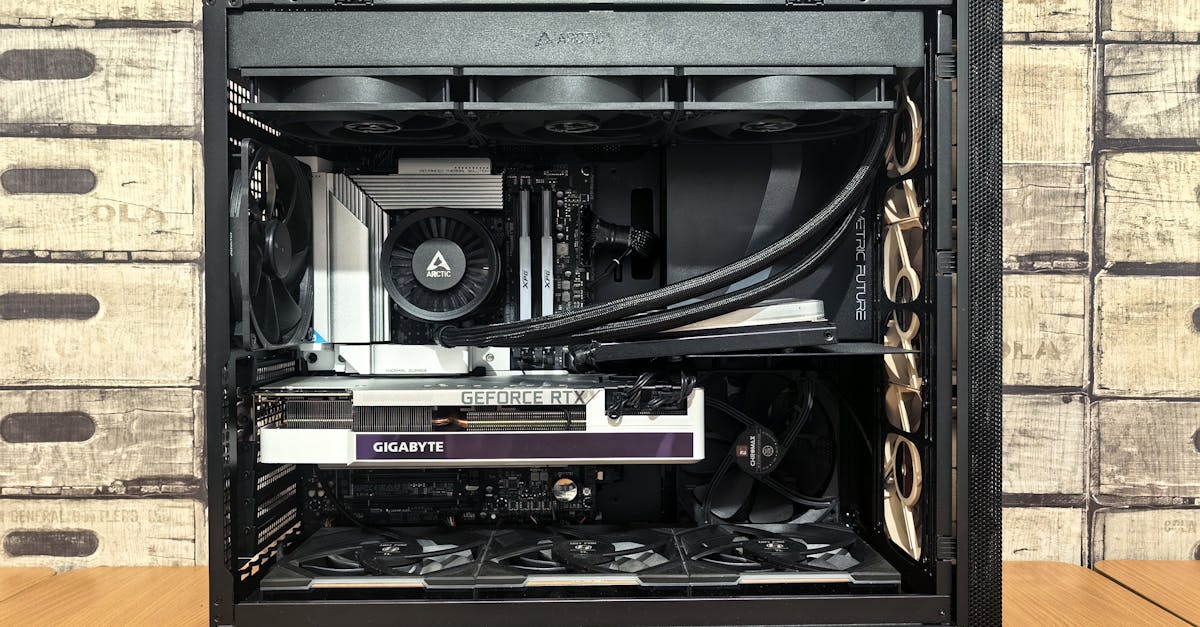
Custom builds usually win on transparency. You know the exact motherboard, RAM speed, SSD brand, and power supply model. That matters because two gaming PCs with the same CPU and GPU can feel very different in real use if one has single-channel memory, weak airflow, or a noisy cooler. Prebuilts, on the other hand, save time and lower the risk of assembly mistakes, especially for first-time buyers.
Pros of buying prebuilt:
- Faster setup and less technical stress
- Single warranty and support path
- Sometimes better short-term pricing than buying parts individually
- Vendors may use generic motherboards or low-tier PSUs
- Upgrade paths are not always obvious
- Marketing often hides memory speed and cooling details
How the Top GPU and CPU Options Compare Right Now
For most buyers, the real decision is not whether to spend $1,500 or $1,700. It is whether to prioritize a stronger GPU, a stronger CPU, or a more upgrade-friendly platform. At 1080p, CPU limitations show up sooner, especially in high-refresh esports titles where 200 to 300 frames per second can matter. At 1440p and above, the graphics card usually becomes the limiting factor. That is why a Ryzen 7 7800X3D can be transformative in competitive gaming, while a mainstream six-core chip may feel nearly identical in GPU-heavy single-player titles.
On the GPU side, Nvidia still tends to lead in ray tracing performance, DLSS support, and creator-friendly software ecosystems. AMD often competes aggressively on raw rasterization value and VRAM capacity in the same price class. For example, an RTX 4070-class card may offer better upscaling and ray tracing behavior, while an RX 7800 XT-class card may deliver more VRAM headroom and stronger value in non-ray-traced games.
Pros of prioritizing Nvidia:
- Better ray tracing in many titles
- DLSS can noticeably extend a system’s lifespan
- Stronger support for some streaming and creator workflows
- Often better frames per dollar in traditional rendering
- More VRAM at a given budget tier
- Competitive performance in many 1440p scenarios
| Priority | Best Choice Pattern | Why It Makes Sense | Watch Out For |
|---|---|---|---|
| 1080p esports | Strong CPU plus mid-range GPU | Higher frame rates depend heavily on processor performance | Overspending on GPU while keeping a weak CPU |
| 1440p AAA gaming | Mid-to-high GPU plus solid six-core or eight-core CPU | Graphics card matters most at this resolution | Buying only 8GB VRAM or too little SSD space |
| Ray tracing focus | Nvidia-heavy configuration | Better ray tracing and DLSS ecosystem | Paying premium for RT if you rarely use it |
| Value-focused gaming | AMD GPU plus balanced CPU | Strong raster performance per dollar | Ignoring feature support you may actually want |
| Streaming and editing | Balanced CPU and GPU with 32GB RAM | Multitasking and encoding benefit from stronger all-around specs | Cutting RAM to fit a bigger GPU |
Key Takeaways: Practical Buying Tips That Save You Regret Later
If you want a gaming PC that still feels like a good purchase after the excitement wears off, think beyond launch-day benchmarks. Focus on daily usability, game library size, monitor pairing, noise, and upgrade flexibility. A buyer who spends $1,300 on a balanced 1440p system and pairs it with a quality 165Hz monitor often ends up happier than someone who stretches to $1,800 for a stronger tower but keeps an old 1080p display. The full setup matters.
Here are the most practical rules to follow. First, buy for the monitor you own or plan to buy in the next six months. Second, insist on 16GB RAM minimum and preferably 32GB if your budget is above $1,200. Third, avoid no-name power supplies and tiny SSDs. Fourth, read or watch one teardown review of any prebuilt model before buying. A five-minute check can reveal weak airflow, motherboard limitations, or single-stick memory.
Smart shopping checklist:
- Match the GPU to your target resolution and game type
- Treat 1TB SSD capacity as the baseline, not a luxury
- Prefer airflow-focused cases over sealed glass-heavy designs
- Check whether the motherboard has extra M.2 slots for future storage
- Verify PSU wattage and rating before trusting a bargain deal
- Compare the whole setup cost, including monitor, keyboard, and headset
Conclusion
A smart gaming PC purchase comes down to balance, not bragging rights. Start with the games you play most, choose your target resolution, and then build around the right GPU and CPU tier instead of chasing the biggest numbers on a product page. For most people, the real value zone sits between strong 1080p and well-balanced 1440p systems, where performance feels excellent without forcing premium pricing.
Before you buy, compare at least three systems, check the PSU, RAM, storage, and cooling details, and make sure the PC matches the monitor you actually use. If a deal looks great but hides weak parts, skip it. The best next step is simple: set your budget, pick one of the seven tiers in this guide, and shortlist two prebuilts or one custom parts list today.
Published on .
Share now!
MC
Mia Collins
Author
The information on this site is of a general nature only and is not intended to address the specific circumstances of any particular individual or entity. It is not intended or implied to be a substitute for professional advice.